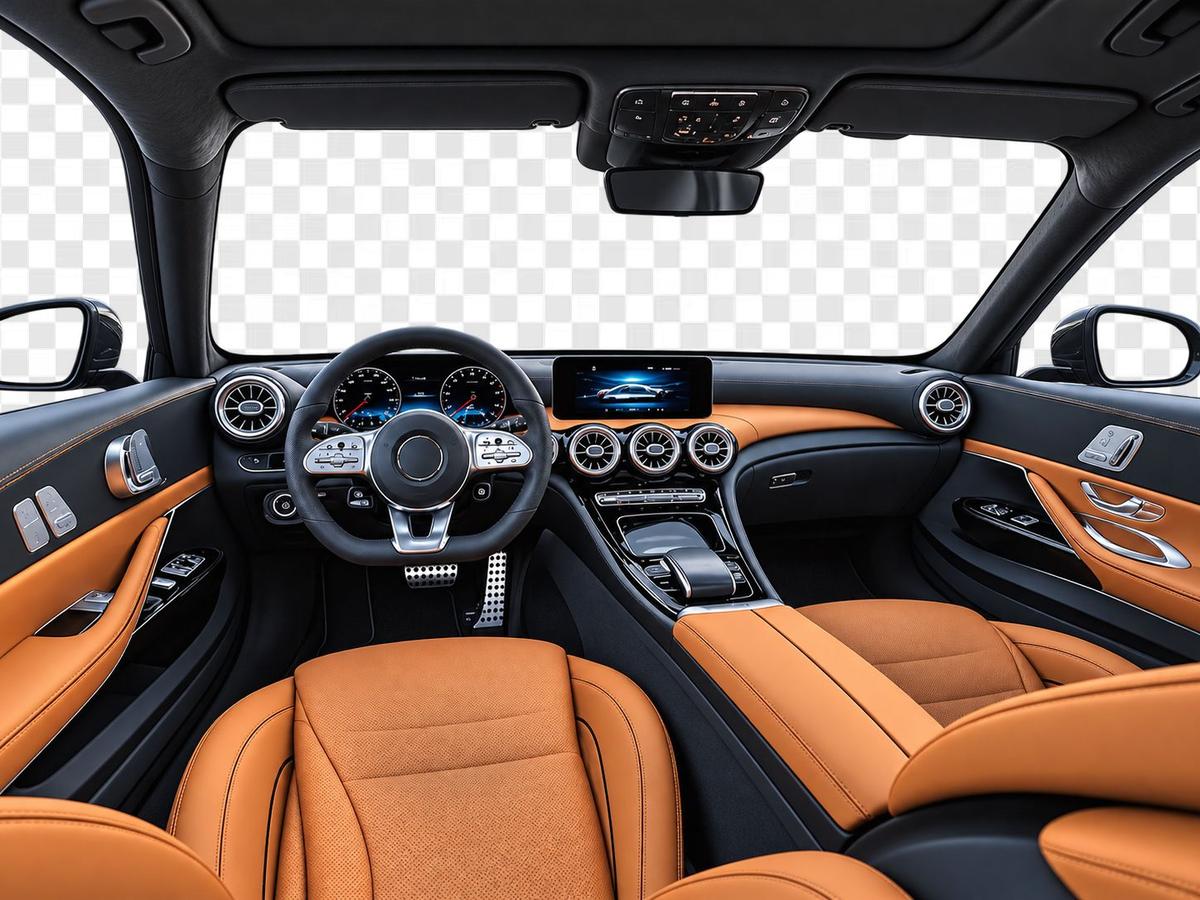
docs / api / images / background

Vehicle Background Removal API

The Vehicle Background Removal API uses AI to remove, replace, or generate backgrounds for vehicle images. It supports image URL, Base64, and file upload inputs, with options for white, transparent, custom, or generative backgrounds. With an API-enabled VinAudit account and valid API key, applications can send requests and receive processed vehicle image output. It helps standardize image presentation across listings, reports, and marketing workflows.

Supported Methods of Image Input

  • Passing Image URL: Requires a publicly accessible URL pointing to the image. This method is convenient for images already hosted online.
  • Passing Image File: Allows the direct upload of image files (jpg, png) from the client's system. This method is suitable for images stored locally on the user's device.
  • Passing Base64 Image: Involves sending the image as a Base64-encoded string. This method is beneficial for applications that process images in a format that can be easily encoded and transmitted within JSON structures.

Background Manipulation Options

  • White Background: Replaces the original background with a plain white background.
  • Transparent Background: Makes the original background transparent.
  • Custom Background: Allows the user to upload a custom background image that replaces the original background. For operations requiring a custom background, the user must pass a publicly accessible URL or upload a file for the custom background.
  • Generative Background: This will generate a background for the image based on the prompt provided. (Check “Generative Background” section for sample result). This option doesn’t support layout and effect. So with this background set layout and effect to none.

Note: Output will also include ‘window correction,’ which will remove any objects in the background that appear through a window, such as a building, trees, other vehicles, etc.

Input

The original vehicle image provided by the user before any background manipulation.
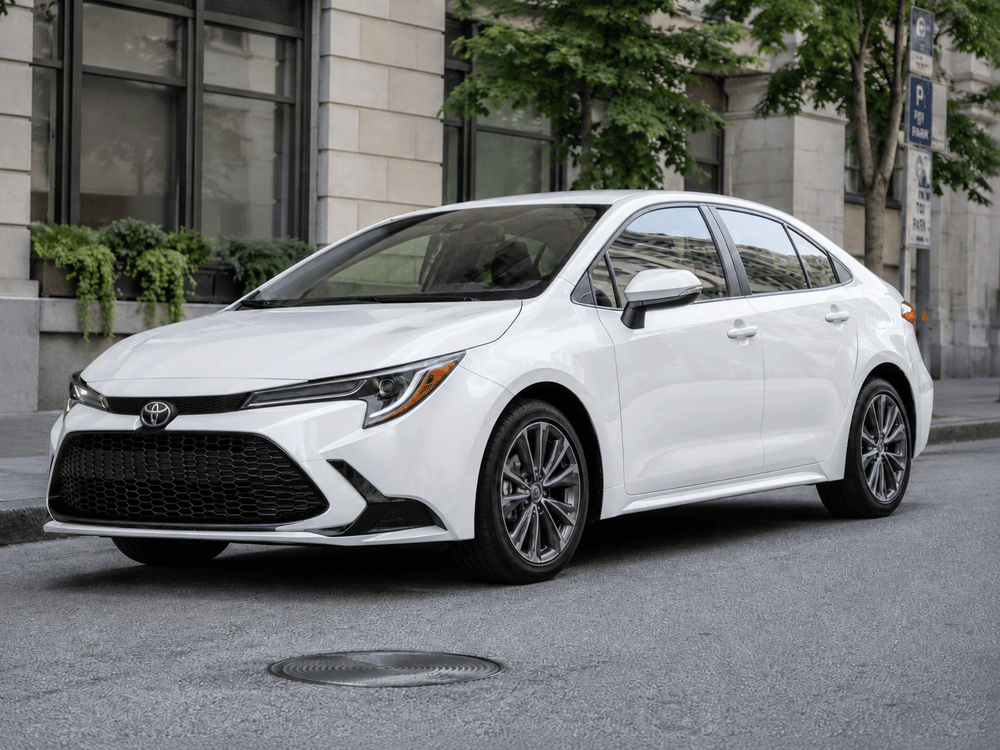
BG Input
Replace License Plate

Optionally replaces the vehicle's license plate with a custom or blank plate for privacy or branding purposes.
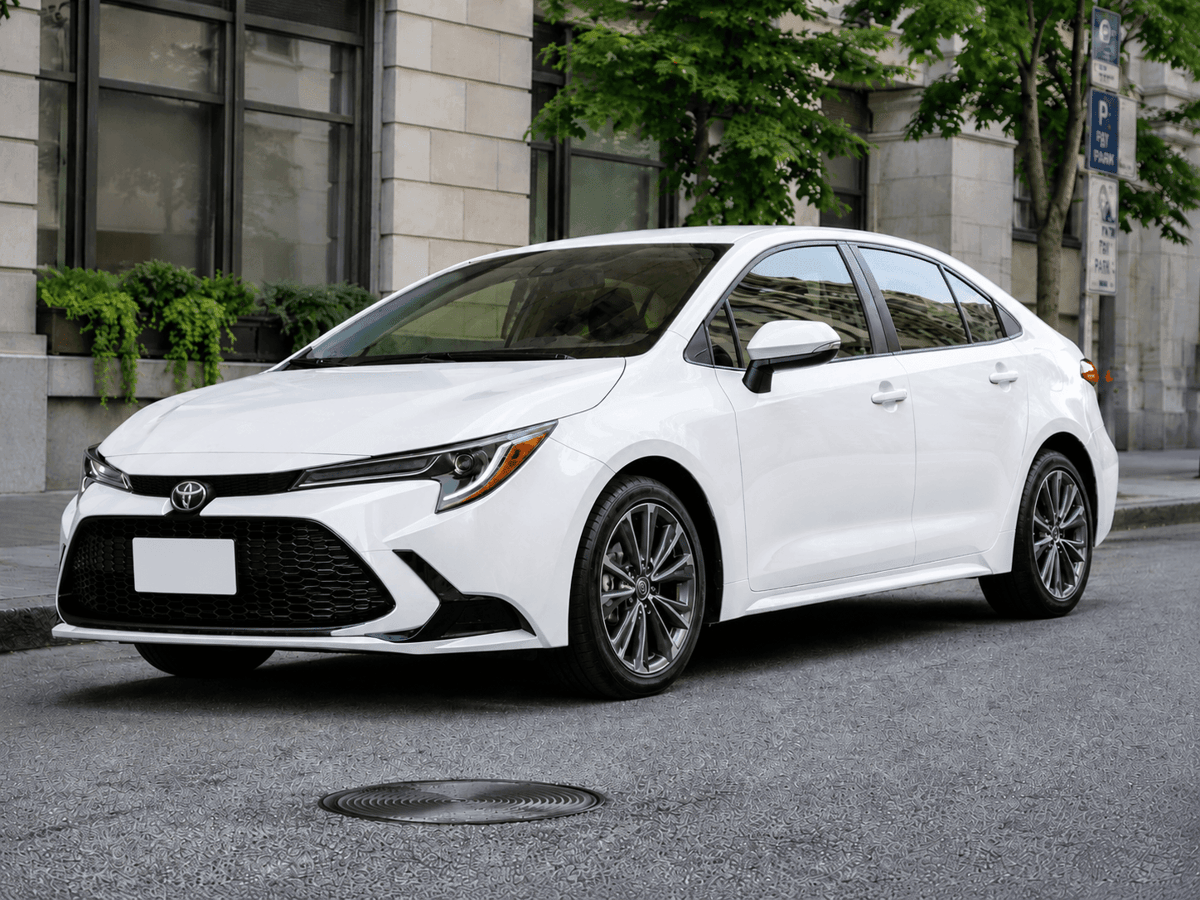
Replace License Plate
White Background

Replaces the original image background with a clean white background—ideal for listings and reports.

White Background
Custom provided Background

Allows users to upload or link a custom background image to replace the original one.

Custom provided Background
Generative Background

Automatically generates a realistic background based on a text prompt, powered by AI.

Generative Background

API Endpoint for GET and POST Requests

Use the same endpoint for GET and POST requests. Use GET for simple URL requests and POST for uploads, base64 input, custom backgrounds, and other request-body options.

GET
https://images.vinaudit.com/v2/remove-background

Request Parameters

Parameter

key

required

Example

YOUR_API_KEY_HERE

Description

Your VinAudit API key

Parameter

image_url

optional

Example

https://images.vinaudit.com/samples/image1.jpg

Description

Publicly accessible URL of the source image in .jpg, .png, or .webp format.
Provide one of image_url, image_base64, or image_file.

Parameter

image_base64

optional

Example

iVBORw0KGgoAAA

Description

Base64 encoded source image.

Provide one source image using image_url, image_base64, or image_file.

Parameter

image_file

optional

Example

files={'image_file': open('/path/to/image.jpg','rb')}

Description

Image file upload via multipart form.

Provide one source image using image_url, image_base64, or image_file.

Parameter

background

optional

Example

white_background

Description

Background mode: white_background, transparent_background, custom_background, or generative_background.

Parameter

background_url

optional

Example

https://images.vinaudit.com/samples/background1.jpg

Description

Public URL for a custom background image. If both background_url and background_file are sent, background_url takes priority.

Parameter

background_file

optional

Example

files={'background_file': open('/path/to/bg.jpg','rb')}

Description

Custom background file via multipart form upload. Use if not providing background_url.

Parameter

layout

optional

Example

center

Description

Output layout: center, crop, or none. Default is none. With generative_background, must be none.

Parameter

effect

optional

Example

shadow

Description

Shadow effect: shadow or none. Default is shadow. With generative_background, must be none.

Parameter

background_prompt

optional

Example

a studio image of car inside room

Description

Text prompt to guide generative_background. Ignored for other background modes.

Parameter

background_negative_prompt

optional

Example

blur, low quality

Description

Words to avoid for generative_background. Ignored for other background modes.

Parameter

plate_replacement

optional

Example

image

Description

Replace plate overlay, image to enable, none to disable. Default is none.

Parameter

plate_base64

optional

Example

iVBORw0KGgoAAA…

Description

Base64 of the replacement plate image, required if plate_replacement=image.

Response Attributes

Parameter

output_url

Example

http://bg2.imgset.info/i2/example.jpg

Description

Direct URL of the processed vehicle image

Parameter

error

Example

blank, invalid_input, unauthorized_request, no_data, request_failed

Description

One of: invalid_input, unauthorized_request, no_data, request_failed, or (blank) if no error.

Parameter

error_description

Example

blank or request-specific message

Description

Human-readable error message providing additional context about the error. The message format and wording may vary as new error cases are introduced, and should not be relied on for programmatic handling.

Python Code Snippets For Sending API Request

GET Request

https://images.vinaudit.com/v2/remove-background?image_url=https://images.vinaudit.com/samples/image1.jpg&key=YOUR_API_KEY&background=white_background&effect=shadow&layout=center&plate_replacement=none

POST Request via Image URL

import requests
import json


url="https://images.vinaudit.com/samples/image2.jpg"
req_json={
 "image_url": url,   ##URL Must be publicly accessible
 "key": "YOUR_API_KEY",  ##KEY to access API
 'background':"white_background",  ##It can take "white_background", "custom_background", "transparent_background" or "generative_background"
 'layout': "center",  ##Whether to center/crop the output image
 'effect': "shadow",   ##Whether to have a shadow in the resulting image or not
}
api_url='https://images.vinaudit.com/v2/remove-background'
response=requests.post(api_url,data=req_json)
print(response.content)

POST Request via Image File Base64 Encoded String

import requests
import json
import base64

file_name = 'image1.jpg'  ##Assuming your local file name is test.jpg
with open(file_name, 'rb') as file:
 encoded_string = base64.b64encode(file.read())

req_json = {
 "image_base64": encoded_string,  ###This is base64 Encoded string of source image
 "key": "YOUR_API_KEY",  ##KEY to access API
 'background': "white_background",  ##It can take "white_background", "custom_background" "transparent_background" or "generative_background"
 'layout': "center",  ##Whether to center/crop the output image
 'effect': "shadow",   ##Whether to have a shadow in the resulting image or not
}

api_url='https://images.vinaudit.com/v2/remove-background'
response = requests.post(api_url, data=req_json)
print(response.text)

POST Request via Image File

import requests
import json

req_json={
 "key": "YOUR_API_KEY",  ##KEY to access API
 'background':"white_background" , ##It can take "white_background", "custom_background", "transparent_background" or "generative_background"
 'background_url':'',
 'layout': "center",  ##Whether to center/crop the output image
 'effect': "shadow",   ##Whether to have a shadow in the resulting image or not
}
files = {'image_file':open('/PATH/TO/image1.jpg', 'rb')} ##Assuming your local file name is test.jpg

api_url='https://images.vinaudit.com/v2/remove-background'
response=requests.post(api_url,data=req_json,files=files)
print(response.content)

Use Generative Background & Replace License Plate

import requests
import json
import base64

file_name='vinaudit-logo-small-white.png'
with open(file_name,'rb') as file:
    license_plate_encoded_string = base64.b64encode(file.read())

url="https://images.vinaudit.com/samples/image3.jpg"
req_json={
  "image_url": url,   ##URL Must be publicly accessible
  "key": "YOUR_API_KEY",  ##KEY to access API
  'background':"generative_background",  ##It can take "white_background", "custom_background" & "transparent_background" or "generative_background"
  'background_prompt': "a studio image of car inside room",
  'background_negative_prompt': "blur, low quality",
  'layout': "none",  ##With generative_background this can only take none
  'effect': "none",   ##With generative_background this can only take none
  'plate_replacement': "image",
  'plate_base64': license_plate_encoded_string
}
api_url='https://images.vinaudit.com/v2/remove-background'
response=requests.post(api_url,data=req_json)
print(response.content)

Provide a Custom Background using URL

import requests
import json

url="https://images.vinaudit.com/samples/image3.jpg"
req_json={
"image_url": url,   ##URL Must be publicly accessible
"key": "YOUR_API_KEY",  ##KEY to access API
'background':"custom_background",  ##It can take "white_background", "custom_background" & "transparent_background" or "generative_background"
'background_url':'https://images.vinaudit.com/samples/background1.jpg', ##URL of custom background
  'layout': "center",  ##Whether to center/crop the output image
  'effect': "shadow",   ##Whether to have a shadow in the resulting image or not
}
api_url='https://images.vinaudit.com/v2/remove-background'
response=requests.post(api_url,data=req_json)
print(response.content)

Provide a Custom Background using Local File

import requests
import json
import base64
req_json={
"key": "YOUR_API_KEY",  ##KEY to access API
'background':"custom_background",  ##It can take "white_background", "custom_background", "transparent_background" or "generative_background"
 'layout': "center",  ##Whether to center/crop the output image
 'effect': "shadow",   ##Whether to have a shadow in the resulting image or not
}
files = {
       'image_file': open('/home/PATH/TO/LOCAL/FILE/image1.jpg', 'rb'),
       'background_file': open('/home/PATH/TO/LOCAL/FILE/background1.jpg', 'rb')
      }
api_url='https://images.vinaudit.com/v2/remove-background'
response=requests.post(api_url,files=files,data=req_json)
print(response.content)

Supported Image Inputs and Background Replacement Options

  • Image URL: Use a publicly accessible vehicle image URL.
  • Image File: Upload a local JPG, PNG, or WebP image file.
  • Base64 Image: Send the source image as a Base64-encoded string.
  • White Background: Replaces the original background with a clean white background.
  • Transparent Background: Removes the background and returns a transparent output.
  • Custom Background: Replaces the background using a provided background URL or file.
  • Generative Background: Generates a new background based on a text prompt.
  • License Plate Replacement: Optionally replaces the vehicle’s license plate for privacy or branding.
  • Note: Output will also include ‘window correction,’ which will remove any objects in the background that appear through a window, such as a building, trees, other vehicles, etc.

Ready to build?

Access the Vehicle Background Removal API with a free developer account. No credit card required.